Mar 26, 2014

 vGet (Stream, Download, DLNA) Full v0.4.6


vGet detects videos embedded in websites and allows to download them, stream them with any installed Player, or play them via DLNA/UPnP or Chromecast directly on a Smart TV.


See below for pricing options.


Play Videos directly on your Smart TV


vGet supports DLNA/UPnP to play (cast) videos directly on a DLNA-Device in your local network. Many devices out there support DLNA, for example Smart TVs, XBox, MediaCenters, AllShare Devices etc. As opposed to many other DLNA-tools, vGet does not relay the video stream over your mobile device but streams directly from the internet. This saves battery life – the video even keeps playing when you switch off your Android device completely. So vGet offers Chromecast-like functionality without requiring additional hardware.

It also supports Chromecast.


Download Videos


Download any video for later offline viewing. vGet includes an integrated download manager that supports multiple concurrent connections to speed up downloads. It automatically increases the number of connections as long as this improves the download speed, if supported by the server.


Stream Videos


Play embedded videos with the player of your choice. Choose any installed Video-Player (e.g. MXPlayer, VLC, etc.) to stream them directly without downloading. This even works for flash videos.


Supported Videos


vGet works as a simple web-browser and is therefore able to detect HTML5-Videos on any site. It can even detect some flash-videos, without requiring flash player to be installed. Note that support for flash videos is limited, so don’t expect it to work on every site. But it has been reported to work quite some sites, including putlocker, sockshare, movshare, novamov, filenuke, played, nowvideo, clicktovie, nosvideo, videozed, faststream, nowvideo, potlocker, putme, bitshare, streamcloud, movreel, vidstream.in, xvidstage, billionuploads, primeshare, ginbig, …


Pricing


This is a trial version that is limited to a 14 day trial period. The trial can be unlocked inside the App (in-app billing) for ~3.30 € plus VAT, if applicable. You’ll see the exact price in your local currency before you buy it. Buying it removes Ads and allows to use it for a unlimited time on all your devices that use the same Google-Play account for installation.

Alternatively it can be used for free by recommending it to others using the integrated referral feature. Each successful referral earns you one additional month of free usage. There is no limit to this rule. So you can use it free indefinitely by referring enough users.


Why don’t you offer vGet completely for free without requiring referrals?


Developing and maintaining an App costs money. For some very popular Apps, Ads can cover these costs. Unfortunately that doesn’t work for vGet. We think that the 14 day trial period should allow you to figure out if actually want to use it. Charging for vGet is the only way to keep working.

But it’s way too expensive: Well, you often don’t even get a pint of beer for that amount. Also be aware that we’ve to spent at least 2/3 of the price on transaction fees and taxes.


Limitations

- Youtube is not supported due to terms of service restrictions.

- No support for any streaming formats (HLS, rtsp)

- Flash videos are not detected on all websites


Reasons for App-Permissions:

- Full network access: required for downloads and DLNA.

- WLAN-Multicast: required for DLNA to detect local devices.

- USB-Storage: required for saving downloads.

- Start at boot: to resume downloads automatically after rebooting.

- Prevent sleep mode: required while downloading to keep active downloads running.

- Accounts (use accounts on the device/find accounts): Used as authentication for the optional referral feature.


What’s New in vGet (Stream, Download, DLNA) Full v0.4.6

0.4.6:

- added option to stop casting to Chromecast when disconnecting

- removed boot permission

- minor video detection improvements.

0.4.4: Improves video detection, especially in mobile-mode for playlist-based html5 videos (ad-pre-rolls)

0.4.3: vGet is now available as a paid, ad-free version

0.4.2: Fixes some issues related to Chromecast.

0.4.1: Chromecast support


More Info in Google Play

Down File from Google Drive

Down File from Dropbox.com


Source: APKDROID.NET
 Ashampoo Snap (Screenshot) v1.1.3


Capture, edit and share screenshots on the go


Ashampoo Snap for Android is a fully-fledged mobile application to capture, edit and share screenshots and images on your Android device.


Capture screen contents, take photos with your built-in camera or simply load existing images and add stylable arrows, shapes, stamps and texts to get your point across. And when you’re finished, share your images through any installed file services (EMail, Picasa, Google+, etc.).


Save and store what you see


Imagine you are browsing Facebook and come across a hilarious post or chat message that could very well be the next epic chat fail. Just take a screenshot and remove sensitive information with Snap for Android and come back to it later.


Record and document unforeseen events on the spot


Don’t just rely on your memory alone! Use Snap for Android to record and document unfavorable situations such as car crashes and add arrows and notes to detail the sequence of events that caused them.


Record thoughts and ideas right in your photos


Snap for Android gives you a set of creative tools to draw and write on your images. Enhance your vacation snaps and tell your friends exactly where your room was during your last stay or which places you particularly liked on that beach. Just mark the spots right in your photos with Snap for Android.


Share images with anyone


Use the integrated Ashampoo Web upload and share unique Internet links with others. Your images will be accessible through any web browser and automatically expire after 30 days so your images won’t stay online forever. Of course, Snap for Android also supports all built-in sharing capabilities including Facebook and Google+.


Capture


•Instant-ready: No manual launching required (background service)

•Notification Bar status messages

•Smart trigger: Screenshots taken through Android-default hardware key combination auto-open in Snap for Android

•System integration: Use “Open with Snap” in other apps, import and edit images through Gallery, take and modify camera snapshots

Edit


•Pan/Zoom

•Draw arrows

•Draw rectangle/ellipse/line shapes

•Stamps (cliparts)

•Marker

•Pen

•Add text

•Crop image

•Scale canvas

•Shadow/outline support: Arrows, Texts, rectangles, ellipses, lines

Share


•Set edited images as wallpaper in launcher

•Supports all installed sharing capabilities (Facebook, Google+, Picasa, Twitter etc.)

•No ads

•Image scaling supported

•AshWeb upload: Upload images to AshWeb and share unique links

•Enable/disable Notification Bar messages

•Many additional stamps/cliparts


What’s New in Ashampoo Snap (Screenshot) v1.1.3

- New Icon Design

- Minor bugs fixed


More Info in Google Play

Down File from Google Drive

Down File from Dropbox.com


Source: APKDROID.NET

 Piano Melody Pro vSpring Addition


• Learn to play your favorite songs on the piano by playing back the melody

• 400 songs to learn from different eras and genres.

• Highly configurable piano (multitouch, glissando, highlighting, note labels)

• Resizable piano suitable for all devices and tablets.

• No advertising


*Features

Set the size of the keys on the piano. The larger the keys, the more accurate to get the right notes, the smaller the keys you can see all 3 octaves on screen.

Full support for all phones and all tablets.

Focus on parts of the song to play back and learn the licks.

Multitouch and Glissando.

Pressure Sensitive. Control the volume depending on how hard you strike the notes.

Authentic digitised grand piano sounds.

Highlight notes on/off to play by ear.

Show/Hide note names.

Slow down / speed up the song.

Turn up / down volume of song play, which is ideal for play along mode.

Immersion’s Ultimate Density Control Haptic Feedback.

No advertising.


*Become a Better Musician

Develop your ability to play by ear.

Start with a few notes and build up until you’ve mastered the song.

Suitable for all ages (kids to adults) and for all abilities (beginner to advanced).


*Song List

The song list is varied containing all genres such as Rock, Classical, The Latest Pop, Film Theme Tunes, TV Theme Tunes, 60s, 70s, 80s, 90s, Naughties, Modern, Alternative, Indie, Latin and more. Includes:

A-Team, Abba, ACDC, Adele, Aerosmith, AHa, Alice Cooper, Andrew Lloyd Webber, Axel F, Beethoven, Ben E King, Beyonce, Bizet, Black Sabbath, Blur, Blink 182, Bob Dylan, Bob Marley, Boomtown Rats, Bruno Mars, Carter Burwell, Christiani Perri, Claire de Lune, Coldplay, Cream, David Guetta, Deep Purple, Def Leppard, Deee-Lite, Depeche Mode, Dire Straits, Dirty Dancing, Doctor Who, Doctor Zhivago, Donna Summers, Ed Sheeran, Elastica, Elton John, Elvis, EMF, Eminem, Eric Clapton, Erik Satie, Evanescence, Final Fantasy, Fleetwood Mac, Free, Gangnam Style, Gary Jules, Gary Newman, Guantanamera, Green Day, Grieg, Guns N Roses, Haley Westenra, Hallelujah, Happy Birthday, Happy Mondays, Harry Potter, Heart and Soul, Herbie Hancock, Inspiral Carpets, Iron Maiden, James Bond, James, Jason Mraz, Jaws, Jean Michelle Jarre, Jethro Tull, Jimi Hendrix, Jingle Bells, Joe Satriana, John Denver, Justin Bieber, Kasabian, L7, Lady Gaga, Led Zeppelin, Lenny Kravitz, Legend of Zelda, Les Miserables, Lynyrd Skynyrd, Mancini, MASH, Match of the Day, Metallica, Michael Bublé, Michael Jackson, Misirlou, Mission Impossible, Mozart, Muse, My Chemica Romance, Nirvana, Nyan Cat, Oasis, Ocean Colour Scene, One Direction, Owl City, Ozzy Osbourne, Patzy Cline, Peter Gunn Tune, Petula Clark, Pink Floyd, Pirates of the Caribbean, Pretty Woman, Primal Scream

…and lots more


*Details

Songs capture the main melody / chorus / intro / verse and contain upto 400 notes.

Uses standard note tabs where lower case are the white notes and upper case the black notes. For example, “C4″ is either C#4 or Db4 and “c4″ is middle C.


What’s New in Piano Melody Pro vSpring Addition

Added songs recommended by users:

Awolnation – Sail

Johnny – Folsom prison

Surfaris – Wipe Out

Killing Me Softly

Cheers Theme – Portnoy

Damien Rice – 9 Crimes

Pink – Just Give Me A Reason

Richard Clayderman – Lady Di

Status Quo – Pictures of Matchstick Men

Teddy Bears Picnic


More Info in Google Play

Down File from Google Drive

Down File from Dropbox.com


Source: APKDROID.NET
 QissMusic v02.03.10.01


Having QissMusic, you can easily enjoy the music anytime and anywhere! QissMusic provides playing the local and streaming music. You can span disks to play the music, powerful music clip editor feature, ID3 editor and easily manage the playlist of local music library. And with QissMusic you can add the music files into the PC side, enjoy the music on phones without anytime, any place, and formats restrictions through the internet.


QissMusic paid version with special offers US$0.99 durning 2011/3/25 ~ 2011/4/5!


Features:

>>Streaming music

- Support streaming of almost any type of music format(Don’t support play DRM protected music)

- Support streaming play music in background

- Support lyrics presentation, search lyrics via Internet automatically, and support .LRC files

- Automatic server discovery on local network using Bonjour service

- Easy setup remote access by specify PIN code or address related information and using 3G/Wifi connection, you can remote music playback!

- Set access control of folder in server

>>Local music

- Playback: 3D ring view and line view of album photos.

- Variety classification: provide artist, albums, genre, composer, years, and song ranking classifications.

- Song ranking setting: rank your favorite songs

- Playlist: easy UI to add songs.

- Lyrics player: lyrics presentation, search lyrics via Internet automatically, and support .LRC files

- ID3 editor: Support edit and search ID3 information via Internet automatically

- Music clip editor: Clip the song and set it as alarm tone, notification tone, call ringtone and caller ringtone

- Personalize theme: provides some kinds of color themes


What’s New in QissMusic v02.03.10.01

- nothing new


More Info in Google Play

Down File from Google Drive

Down File from Dropbox.com


Source: APKDROID.NET

 Plex for Android v3.2.11.118


Plex organizes all of your personal media, wherever you keep it, so you can enjoy it on any device. With Plex, you can easily stream your videos, music, photos and home movies to your Android phone or tablet from your home computer running Plex Media Server.


- Plex makes your media beautiful with rich descriptions, artwork, and other metadata.

- Plex automatically converts your media on-the-fly to play on any device.

- Easily share your media with friends and family.

- Browse, fling and control your media on any Plex-enabled device, including the Google Chromecast (Plex Pass)

- Sync media to your phone or tablet for offline viewing (Plex Pass)

- Sync media to your favorite cloud provider including Google Drive, Dropbox, and Box, so you can stream media even when your server is offline (Plex Pass)

- Access a wide range of online channels such as TED, Revision3, and TWiT.

- Queue online videos from sites like Vimeo and YouTube and watch them later on any device.


What’s New in Plex for Android v3.2.11.118

- Chromecast support, now including music and photos

- Massive improvements for remote controlling Plex players

v3.2.11

- Resolve a number of crashes when accessing Settings Page

- Fix direct playback of anamorphic videos, where video was resized incorrectly


More Info in Google Play

Down File from Google Drive

Down File from Dropbox.com


Source: APKDROID.NET
 Battery Monitor Widget Pro v3.0.7


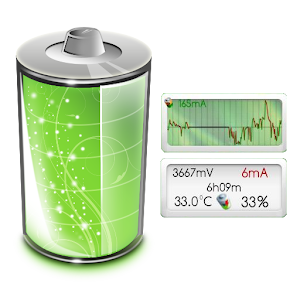
The most complete tool to manage your battery: Shows historical data (%, mA, mW, mV and temperature), calculates estimated run-times and battery aging, helps calibrate battery, and improves your battery run-time.


- Please check app status tab for monitoring status and mA/mAh data source

- History shows only 1% changes by default, long-press history to change

- The app displays the % remaining, voltage and temperature data reported by Android OS

- Android 4.4 (KitKat): Battery statistics require a rooted device

- Requires INTERNET permission to download external notification icons


► Pro version has all features unlocked and no ads

- Wide (2×1) and graphic (2×1, 3×1, 4×1) widgets

- Export data to System Tuner Pro

- Update battery capacity or reference based on measured data

- Keep information of unlimited number of batteries (2 in free)

- Add history markers manually or automatically on boot, ROM/kernel/battery changes

- Pro version has all features unlocked and no ads


- Display all information using great looking graphics, fully scrollable and zoomable.


- Use additional packages to show great looking icons in notification bar


- Display historical graphics or battery data on your home screen using widgets of various sizes!


- Triggers alarm based on any battery data


- Manually resets battery statistics on rooted phone


- Calculate remaining time while unplugged or charging (AC/USB/Wireless)


- Calculate actual battery capacity (mAh)


- Support multiple batteries


- Support Motorola Defy/Atrix 1% reporting


- Online help accessible from app


- Export data to System Tuner Pro to analyze which process is responsible for battery drain!


What’s New in Battery Monitor Widget Pro v3.0.7

Fix KitKat kill-bug work-around

Completely rewritten from scratch, please check screenshots and reviews.

◊ Requires INTERNET permission to download external notification icons (no longer opens web site as in 2.x).

◊ Requires SYSTEM_ALERT_WINDOW (draw over other apps) to show a battery notification bar

Coming from versions 1.x or 2.x, launcher’s widget must be created again, sorry.


More Info in Google Play

Down File from Google Drive

Down File from Dropbox.com


Source: APKDROID.NET
 Spree Speed Reader v1.49


Start speed reading today! Read faster than you have ever read before!

Spree helps you read your content faster by removing the need to move your eyes while reading. Just add your text, hit done and press ‘Read’!


Spree is a Speed Reader tool that utilizes RSVP technology to help you read faster! From wikipedia:

“A presentation method called Rapid Serial Visual Presentation (RSVP) was developed to diminish the resource cost of readers’ eye movements. RSVP is a method of displaying information (generally text or images) in which the text is displayed word-by-word in a fixed focal position. This may be used to increase reading rate or provide access to long text on small displays.”


Spree is great for:

Testing how fast you are able to read by adjusting WPM on the fly. Read up to 1000 WPM!

Helps focus because you are forced to pay attention or risk not reading words.

Helps you read faster because you do not need to move your eyes to read.


Permissions:

Internet – Gets article text from websites when shared via “Add to Spree”

Read External Storage – Allows you to add epub files to Spree and read them.


*Common issues

Can’t add ebook saved on device – Try downloading another file explorer like this one: https://play.google.com/store/apps/details?id=com.estrongs.android.pop

Can’t add ebook from dropbox, google drive, etc. – Currently Spree only supports ebooks stored locally (so just download them from your app, and then find them in your downloads folder).


Features

Red Letter Alignment for even faster reading (*EXPERIMENTAL*)

Supports .epub files! (Experimental, requires book has chapters and proper encoding.)

Click to rewind current sentence, long press to rewind to previous sentence.

Dark and light backgrounds

Small, medium and large font sizes (for better experience based on screen size and eye sight)

Variable WPM setting (allows long words to remain on the screen slightly longer so that you can process them)

On the fly adjustable WPM

Time left at current WPM setting. (Optional)

Short pause at end of sentence.

Different chunk sizes (1, 2 or 3 words at a time)

Text alignment (Left, right and of course center)

Progress Bar

Word counter

Easy access buttons for adding text, starting over, pasting and clearing text.

Screen stays on while reading

Orientation locks while reading


Similar to Spreeder, Speedy, Fast Reader, A Faster Reader and Spritz.


What’s New in Spree – Speed Reader v1.49

Please e-mail me (devDoron@gmail.com) with any bugs or issues or feature requests!

I cannot improve if you leave a rating without a review, e-mailing me before reviewing would be much appreciated.

Version 1.40:

Bugs fixed! Specifically, if the menu for adding ebooks wasn’t showing for you before, it should now.


More Info in Google Play

Down File from Google Drive

Down File from Dropbox.com


Source: APKDROID.NET

 Click UI Icon Pack v2.2


Say hello to Click. An icon pack for Nova Launcher, Apex Launcher, Go Launcher Ex, Action Launcher Pro, Trebuchet Launcher, Smart Launcher, Aviate & some others.


The theme currently contains 985+ icons & I’ll be constantly updating adding in more. Also includes the 10 wallpapers seen in the screenshots. The icons are HD at 144×144, & look sharp on both phones & tablets.


Go Launcher users! Icon masking isn’t supported by Go, so unthemed icons have a circle covering them. You can easily fix this by going into Preferences > Visual settings > under Icons, uncheck ‘Show icon base’


Recommended icon sizes:

- Nova Launcher (Prime): 110%

- Apex Launcher: 110%

- Go Launcher: Big

- Action Launcher Pro: 110%


This is NOT a standalone app, you need a launcher such as Go, Apex, Nova, etc that allow custom icon packs.


Installation:

1. Install a compatible launcher listed above.

2. Install this theme.

3. Find Click UI in any of the launcher’s theme settings, then apply.


What’s New in Click UI – Icon Pack v2.2

- 18 new icons


More Info in Google Play

Down File from Google Drive

Down File from Dropbox.com


Source: APKDROID.NET
 Alarm Pro v4.7.490 by ZDworks


Alarm clock, birthday reminder, timer, evernote… Easy to use, powerful, and free with no ads.

Calendar, Wake up, Birthday, Anniversary, Credit, Rotating shifts, Medicine, Utilities, Daily, Weekly, Monthly, Quarterly, Yearly, Custom, etc.

ZDclock is a ringing evernote. With it,you don’t have to remember what matters or check notes from time to time. ZDclock will remind you at the right time.

Life is too short to be in a hurry. Just make it easy:)Any question please feel free to contact us. Our supporting email is service@zdworks.com.

-Calendar (Make days clear)

-Wake up (Record your unique ringtones)

-Birthday (My VIP list)

-Anniversary (Special days in life)

-Credit card (Good credit is a great fortune)

-Rotating shifts (Unique feature)

-Utilities (Really easy to forget)

-Rents (To be a good tenant)

-Countdown (Green hand for cooking, exercise for good health)

-Party (Don’t be late)

-Medicine (Get well soon)

-Bank loans (So many bills to pay)

-Greetings (Don’t neglect family&friends even on busy days)

-Conference (Interesting coferences are too rare to miss)

-Custom alarm (Just DIY)


What’s New in Alarm Pro v4.7.490 by ZDworks

1. Make some bounced looks more beautiful.

2. Synchronous system will be more timely.

3. Fix some bugs.


More Info in Google Play

Down File from Google Drive

Down File from Dropbox.com


Source: APKDROID.NET
 Evolve SMS Theme BH Shade v1.30


*Must have at least EvolveSMS v1.2.1 and ‘Addon Theme Background’ checked in order for background to work.

(If on beta, to enable header or use your own background image, shake phone while in settings menu)


BH Shade is the perfect, minimal theme that will go perfectly with any custom background you choose. The minimal, semitransparent boxes let the wallpaper through while maintaining visibility of the text, creating the perfect environment for custom wallpapers.


Red Box – Failed to Send

Black Semi-transparent Box – Message has sent (Check on box if Delivery Reports Enabled)

Lock on Box – Locked Message

Green Dots on Box – Message is Sending


What’s New in Evolve SMS Theme – BH Shade v1.30

Made new message background darker to increase clarity.


More Info in Google Play

Down File from Google Drive

Down File from Dropbox.com


Source: APKDROID.NET
Design by Free Apps, Games for Android | Blogger Theme by Apk for Android